Hyper Bridge
- 4.2
- Rating
- 500.00K
- Installs
- Free
- Price

 Analysis by App-foxy
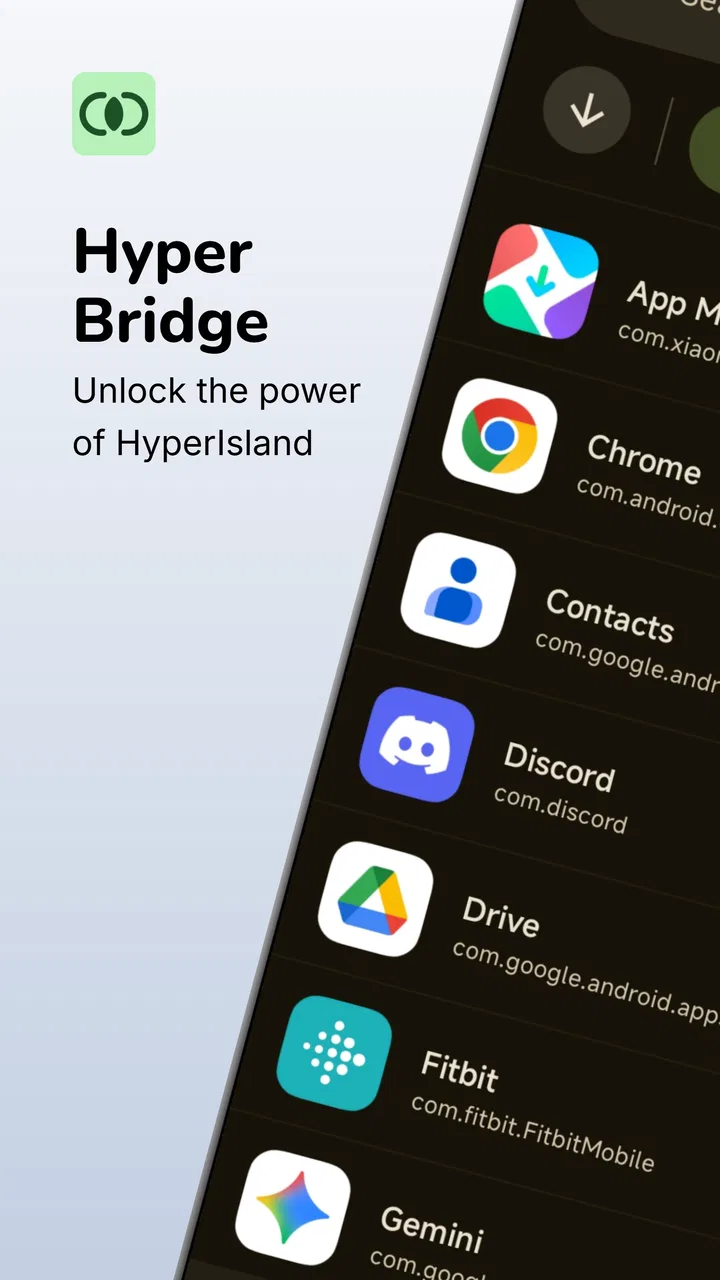
I tried Hyper Bridge as a focused personalization tool for people who want Android notifications to feel more at home on a HyperOS phone. Its purpose is easy to understand: it connects ordinary Android notification activity with the HyperIsland experience, instead of leaving alerts separated from the visual language of the system. That narrow goal is also its main appeal. It is not trying to replace a launcher, redesign every screen, or become a general notification manager.
In my experience, the app makes the most sense when you already use a device built around HyperOS and find yourself wishing that more notifications behaved like part of the system interface. The developer is d4viddf, and the app is free, with an Everyone content rating. The current version is 0.5.7, and its position in the personalization category is clear: this is about making the phone feel more cohesive rather than adding a large collection of unrelated tools.
How the bridge feels in everyday use
The first thing I noticed is that the concept is more useful than the short name suggests. Android notifications can be perfectly functional while still feeling visually disconnected from a manufacturer’s interface. Hyper Bridge addresses that gap by acting as a link between the notification system and HyperIsland. When it works as intended, the result is less about adding information and more about putting information in a place that feels natural on a HyperOS device.
You May Also Like

 Blood Strike: 2.5 Anniversary
Blood Strike’s Loadouts Turn Every Drop Into a Tactical Gamble
A close look at Blood Strike’s custom loadouts: how fast access to signature weapons reshapes its battle royale rhythm, rewards preparation, and narrows the gap between fights.

 Pandora - Music & Podcasts
Pandora’s Music Is Easy to Start, but Harder to Recover
Pandora’s strength is its low-effort path from a seed to a station. Its weak spot is how much confidence it asks you to place in connection, setup, and quiet recovery.

 8 Ball Pool
8 Ball Pool Is Built on Rivalries, Rematches, and Routine
A close look at the rivalries, rematches, shared routines, and unanswered safety questions that turn a quick pool match into a persistent mobile community.

 Samsung Music
Samsung Music’s Quiet Strength Is Playing What You Already Own
Its reach comes less from spectacle than from dependable access to a personal library. That simplicity is both the app’s strongest retention engine and its ceiling.

 AccuWeather: Weather Radar
AccuWeather Review: A Quick, Clear Forecast for Everyday Decisions
For everyday plans, the best forecast is the one you can understand quickly. AccuWeather makes rain timing, radar, and local conditions easy to act on, with a few trade-offs.

 Hill Climb Racing
Why Hill Climb Racing Still Turns Crashes Into One More Run
A tiny car, a bumpy hill and one more upgrade: Hill Climb Racing keeps resurfacing because its simple chaos makes every near-miss feel personal.
More From Our News Desk



A realistic example is a busy morning. I might receive a message, a delivery update, and a reminder while the phone is in my pocket. Instead of treating every alert as a separate item that I need to open from the shade, the HyperIsland-oriented presentation gives me a more immediate way to notice what is happening. I still need to decide whether an alert deserves a full response, but the first glance can be quicker and less disruptive.
That distinction matters. This is not a replacement for the notification shade, and I would not install it expecting a complete inbox for every alert. Its value is in the handoff: Android produces the notification, and Hyper Bridge helps it appear in the HyperIsland context. People who enjoy a clean, integrated interface will appreciate that relationship more than users who are happy with the standard Android layout.
Readability and navigation
For readability, the strongest part of the idea is reducing the number of places I have to check. A notification that appears in a familiar system area is easier to notice than one that feels visually detached from the rest of the phone. That can be especially helpful for someone who prefers brief status information before opening an app, or for anyone who finds a crowded notification shade tiring to scan.
The app’s usefulness depends heavily on the surrounding HyperOS interface, though. Hyper Bridge is not a universal visual accessibility layer. It does not turn every notification into a large, simplified card, and it should not be treated as a substitute for Android’s own display, text, or screen-reader settings. Its contribution is organizational and contextual: it helps notifications belong to the HyperIsland experience.
I also think the app is better for people who already understand how their phone handles notifications. If you are comfortable distinguishing a transient alert from a persistent notification, you can quickly decide whether the HyperIsland presentation is enough or whether you need to open the full shade. A first-time Android user may still need a little time to learn where information appears and which interaction leads to the original app.
One practical habit improves the experience: keep the notification shade as the detailed view and use HyperIsland as the glance view. That prevents the interface from becoming overloaded. I found it more sensible to use the island for awareness, then move to the source notification when I needed the entire message, controls, or conversation history.
The app has a 4.2 average from around 1.3 thousand ratings, which suggests that many people find the concept worthwhile while leaving room for different device experiences. I would read that as encouragement rather than a guarantee. A personalization app that depends on a particular system interface can feel excellent on one phone and less convincing on another, even when the basic idea is identical.
Motor and sensory considerations
From a motor perspective, a glanceable notification surface can reduce unnecessary navigation. If I only need to confirm that something arrived, I do not have to open a full app or repeatedly scroll through a long list. Fewer steps can matter when using a phone one-handed, while walking, or when precise tapping is difficult.
There is a trade-off, however. Compact interface elements can be less comfortable for users who need larger touch targets or more time to identify controls. Hyper Bridge does not remove the need to interact with the underlying Android and HyperOS notification controls, so the experience will still depend on the phone’s own spacing, text scaling, contrast, and gesture settings. I would adjust those system options first rather than expecting the app to solve every visual or motor concern.
For sensory needs, the app can be useful when fewer interruptions are preferable. A quick visual cue may be less disruptive than opening each notification immediately, particularly in a quiet workplace, classroom, or shared room. It also supports a more deliberate rhythm: notice the alert now, deal with it later. That is a meaningful benefit for people who want awareness without constant task switching.
At the same time, a visual bridge is not automatically helpful for someone who relies mainly on sound, vibration, or spoken feedback. The app’s role is tied to where notifications appear, so its advantages are most obvious for users who can comfortably read the HyperIsland presentation. If your priority is advanced audio routing, detailed vibration patterns, or comprehensive spoken notification control, Android’s built-in settings or a dedicated accessibility solution may be a better fit.
Another useful approach is to be selective about which applications are allowed to create interruptions. The more alerts arrive, the less meaningful any glanceable surface becomes. Hyper Bridge can make the presentation feel more integrated, but it cannot make an overloaded notification stream easier by itself. I would first reduce low-value alerts in Android, then judge whether the remaining notifications are clearer through the HyperIsland connection.
Situational access beyond the desk
The app is most convincing in situations where I need information quickly but cannot give the phone my full attention. While cooking, carrying bags, commuting, or moving between meetings, a compact notification cue can save the small effort of opening the shade and searching for the newest item. That is not a dramatic transformation, but repeated small savings are exactly where a personalization utility earns its place.
It can also help people who use their phone in short bursts. Someone checking a device between tasks may want to identify the source of an alert without entering a long conversation or losing their place in another activity. The HyperIsland connection gives that quick check a more intentional home than a random banner appearing over the current screen.
For work and study, I would use it with restraint. The integrated presentation can make important alerts easier to notice, but it can also tempt me to look at every new event. The best setup is not necessarily the one that displays the most. It is the one that makes high-value notifications visible while allowing routine updates to wait in the shade.
There is a similar consideration for older users or people who are not comfortable with changing phone behavior. The app may make the interface feel more coherent, but any new notification location can initially create uncertainty. I would introduce it gradually: keep familiar system notifications available, observe how alerts appear, and only then decide whether the new flow is genuinely easier. A change that looks elegant can still be confusing if it moves information away from a person’s established routine.
For users with attention-related needs, the bridge can work in two opposite ways. It may reduce the friction of checking one important alert, or it may make every alert more visually tempting. The difference comes from notification discipline rather than the app alone. I would pair it with quiet hours, app-level notification controls, and a habit of opening the full message only when action is needed.
Where the experience still has barriers
The biggest limitation is its narrow dependency on HyperOS and HyperIsland. If you use another Android skin, or if your device does not offer the relevant HyperIsland experience, the central reason to install it becomes much weaker. In that situation, a conventional notification manager, launcher customization, or the phone’s default tools may provide broader value.
I would also avoid assuming that every notification will feel equally natural. Notifications differ in length, urgency, controls, and privacy sensitivity. A short status update is well suited to a glanceable presentation, while a long conversation or an alert with several actions still belongs in the original application or the full notification shade. Hyper Bridge can connect the surfaces, but it cannot make every type of notification equally readable in a compact space.
Privacy is another reason to think about context before using any notification integration. A notification that is convenient to see may also be easier for someone nearby to notice. I would be cautious with message previews in shared spaces and review the phone’s notification visibility settings. The app’s usefulness should not come at the cost of exposing personal information on a screen designed for quick glances.
There is also a learning curve around expectations. The store summary describes a missing connection between Android notifications and HyperOS HyperIsland, and that is a good description of the problem it targets. It does not mean the app replaces Android’s notification architecture or makes HyperIsland behave like a full notification center. Users who expect extensive filtering, history, automation, or deep per-app customization may find the scope limited.
In comparison with the usual alternatives, Hyper Bridge is more specialized than a standard notification manager and less expansive than a launcher or complete personalization suite. A notification manager is usually the better choice when filtering, grouping, or controlling alert volume is the main concern. A launcher is more appropriate when the goal is to change the home screen and app navigation. Hyper Bridge is the better choice when the specific missing piece is the connection to HyperIsland.
That specialization is not a weakness for the right audience. It means I do not have to replace the rest of my setup to address one interface mismatch. But it does mean I would not recommend it as a general personalization download for every Android user. The closer your phone and habits are to the HyperOS use case, the more likely the app will feel purposeful rather than redundant.
Who should install it
I would recommend trying it if you use HyperOS, regularly notice notifications before opening them, and care about the visual relationship between Android services and the system interface. It is also a sensible experiment for people who find the notification shade too interruptive for quick checks but still want alerts to remain visible and actionable.
I would be more cautious if you depend on large, highly detailed controls, use spoken feedback as your primary way to navigate alerts, or need a notification tool that works consistently across different Android interfaces. In those cases, the phone’s accessibility settings and a broader notification utility may offer a better foundation. Hyper Bridge can complement those tools, but it should not be expected to replace them.
The app is free, which lowers the cost of testing it on a compatible device. Its Everyone rating also makes the intended audience broad, although suitability still depends on the individual’s comfort with compact system UI elements and notification previews. With over 500 thousand installs, it has clearly reached a substantial Android audience, but popularity does not remove the need to check whether your own HyperOS setup benefits from the connection.
One of my favorite practical tests is simple: install it, leave the phone in your normal notification routine for a day, and ask whether you can identify important alerts faster without opening more screens. If the answer is yes, the app is doing something useful. If you still have to open the shade for every alert, or if the new presentation makes notifications feel more distracting, the default system behavior may be the better choice.
An inclusive verdict for a focused personalization tool
Hyper Bridge succeeds because it addresses a very specific annoyance instead of pretending to be an all-purpose phone makeover. It gives HyperOS users a way to make Android notifications feel more connected to HyperIsland, and that can improve glanceability, reduce small navigation steps, and make the phone’s interface feel less fragmented.
My recommendation is positive, with a clear condition: use it as a bridge, not as a complete accessibility or notification-management solution. Its strongest benefits are visual and situational. It can support people who prefer quick status checks, limited interruption, and a more unified system presentation, while still leaving detailed reading and actions in the normal Android notification flow.
The remaining barriers are equally clear. Compact surfaces may not suit everyone, notification privacy needs attention, and users outside the HyperOS context may gain little from it. Still, for the intended audience, the focused design is a strength. If your main frustration is that Android alerts do not feel at home in HyperIsland, this is one of the more direct ways to test a better fit.
With its 0.5.7 release and free entry point, I see it as an easy, low-risk customization to evaluate rather than an essential app for every phone. I would keep it installed when it makes important alerts easier to notice without adding noise. If it does not improve that everyday balance, I would return to the standard notification shade and choose a broader tool only if I needed filtering or accessibility features beyond this app’s focused role.
FAQs for Hyper Bridge
01What is Hyper Bridge and how does the game work?
Hyper Bridge is a fast-paced arcade-style game focused on building or controlling bridges while overcoming obstacles and timing challenges. From the first levels, the gameplay is easy to understand, but later stages require quicker reactions and better planning. The main appeal is its short, pick-up-and-play sessions, making it suitable for users who want a casual game that can be enjoyed without a long tutorial or complicated controls.
02Is Hyper Bridge free to download and play?
Hyper Bridge can generally be downloaded for free, although the exact availability and pricing may depend on whether you use Android or iOS. Like many free mobile games, it may include advertisements, optional purchases, or other monetized features. Before installing, it is worth checking the store listing for current details, including in-app purchase information, supported devices, and whether some content or bonuses require payment.
03Does Hyper Bridge require an internet connection?
The basic gameplay in Hyper Bridge is designed to be accessible without a constant internet connection, which makes it convenient for short sessions while traveling or when mobile data is unavailable. However, certain features may still require connectivity, including advertisements, updates, cloud-related services, leaderboards, or purchases. Your offline experience can also vary depending on the version installed and the developer’s current implementation.
04Is Hyper Bridge suitable for children and casual players?
Hyper Bridge is relatively easy to pick up because its controls and objectives are straightforward, so it can appeal to casual players and younger users. Nevertheless, the game may become more demanding as obstacles and timing requirements increase. Parents should review the age rating, advertising practices, and in-app purchase settings before allowing children to play, especially if the device is connected to a payment method.
05What devices are compatible with Hyper Bridge, and is much storage required?
Compatibility depends on the specific Android or iOS version of Hyper Bridge and the requirements listed in the official app store. The game is generally intended for modern smartphones and tablets, but older devices may experience slower loading, reduced performance, or incompatibility. It is recommended to check the required operating system, available storage, and recent user reviews before downloading, particularly if your device has limited free space.
Pros
- Simple controls make it easy to learn within minutes.
- Short levels are convenient for quick gaming sessions.
- Minimalist visuals keep the gameplay clear and distraction-free.
- Increasing difficulty provides a steady challenge for skilled players.
- Works well as a relaxing offline game for casual play.
Cons
- Repeated mechanics may feel monotonous after extended play.
- Later stages can become frustrating without precise timing.
- Limited content may reduce long-term replay value.
- Ads may interrupt the experience between attempts.
- The minimalist presentation offers little customization or story.

Hyper Bridge
Gallery